
v0.10 Update: Introducing Speaker Diarization
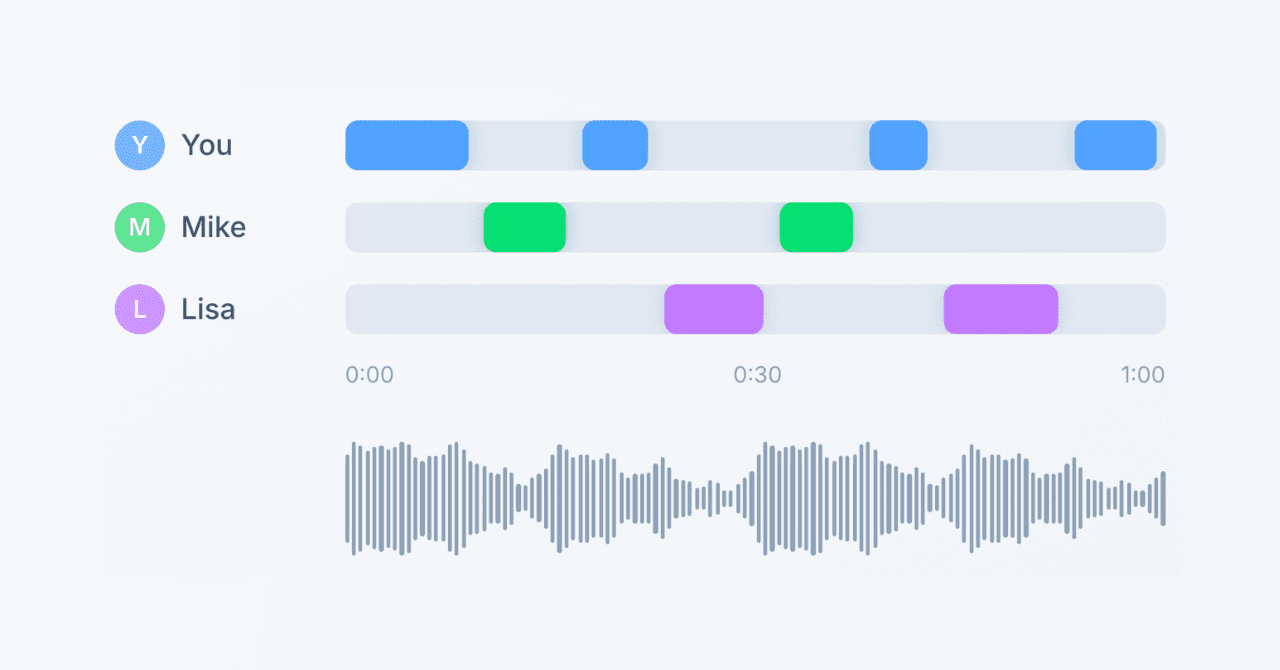
We're excited to announce v0.10, introducing Speaker Diarization to significantly enhance your meeting transcription experience in SuperIntern.
Speaker Diarization
Automatically identify "who said what" in your meetings. Even in multi-person meetings, you can now see each statement attributed to individual speakers.
Automatic Speaker Detection
Our cutting-edge AI technology automatically identifies speakers from your meeting recordings. We support detection of up to 30 speakers, making it suitable for even large meetings.

Speaker Labeling
Assign real participant names to automatically detected speakers like "Speaker 1" or "Speaker 2":
- Manual input: Enter any name directly
- Speaking time display: See what percentage each speaker contributed to the conversation
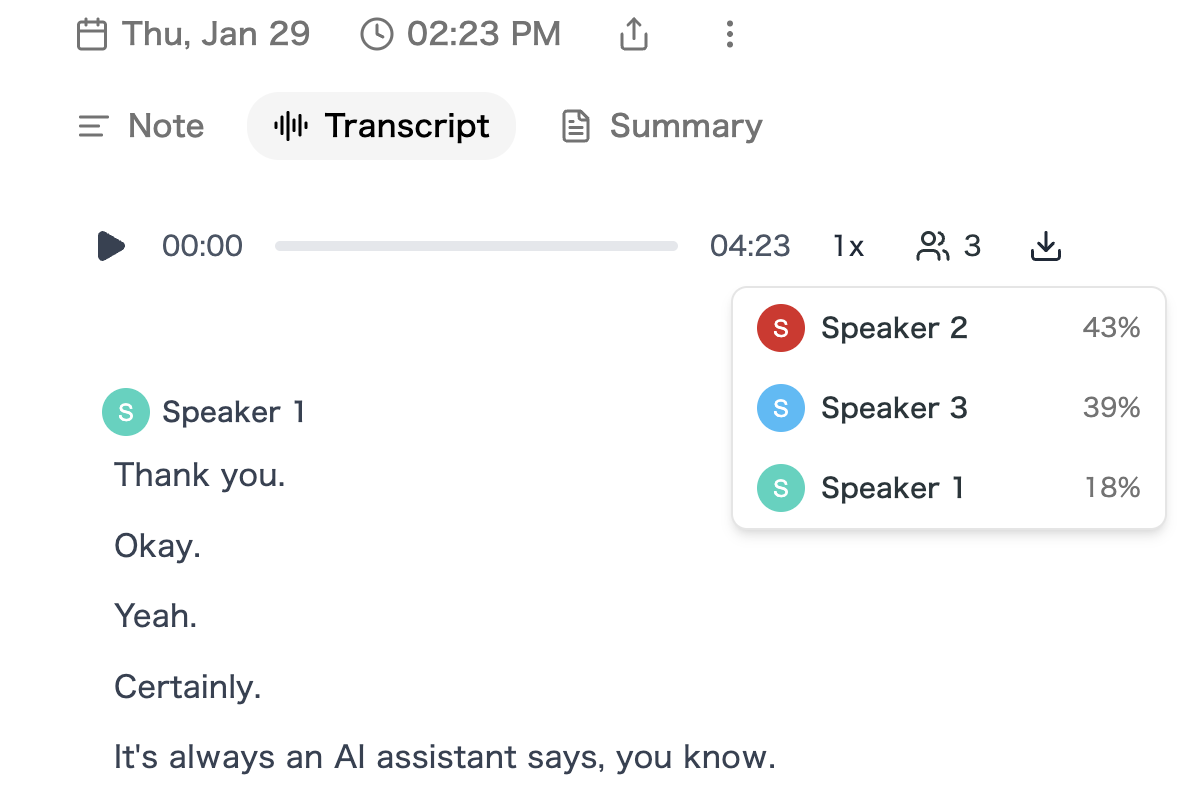
This makes it instantly clear "who said what" when reviewing your transcripts.
More Accurate Meeting Notes
With speaker information attached, AI-generated summaries become more precise. Get meeting notes that include specific details like "John proposed..." or "Sarah raised a concern about..."
How to Use
- After a meeting ends, open Transcript from the meeting detail page
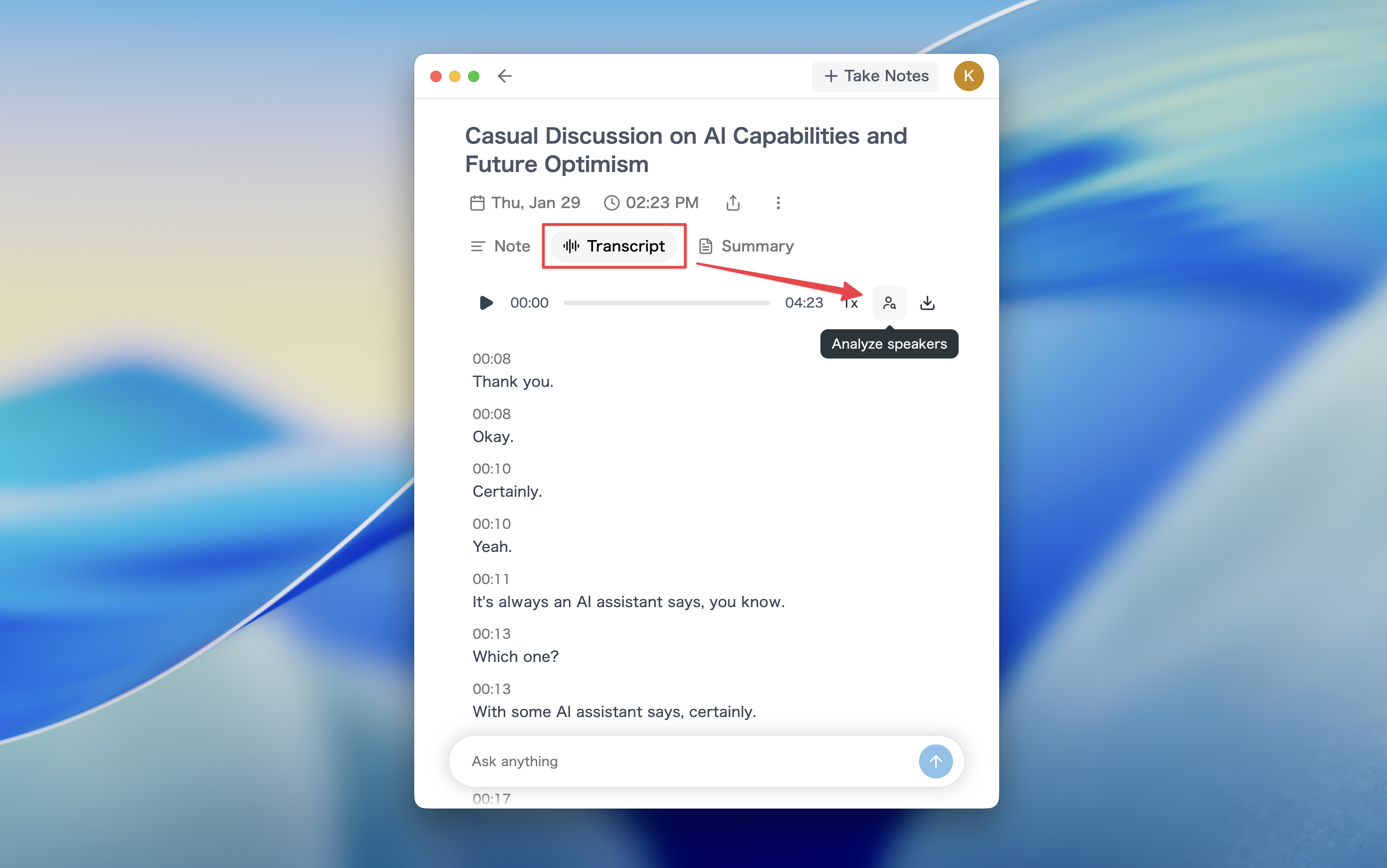
- Click the "Analyze speakers" button
- Enter the number of speakers in your meeting (1-30) and submit
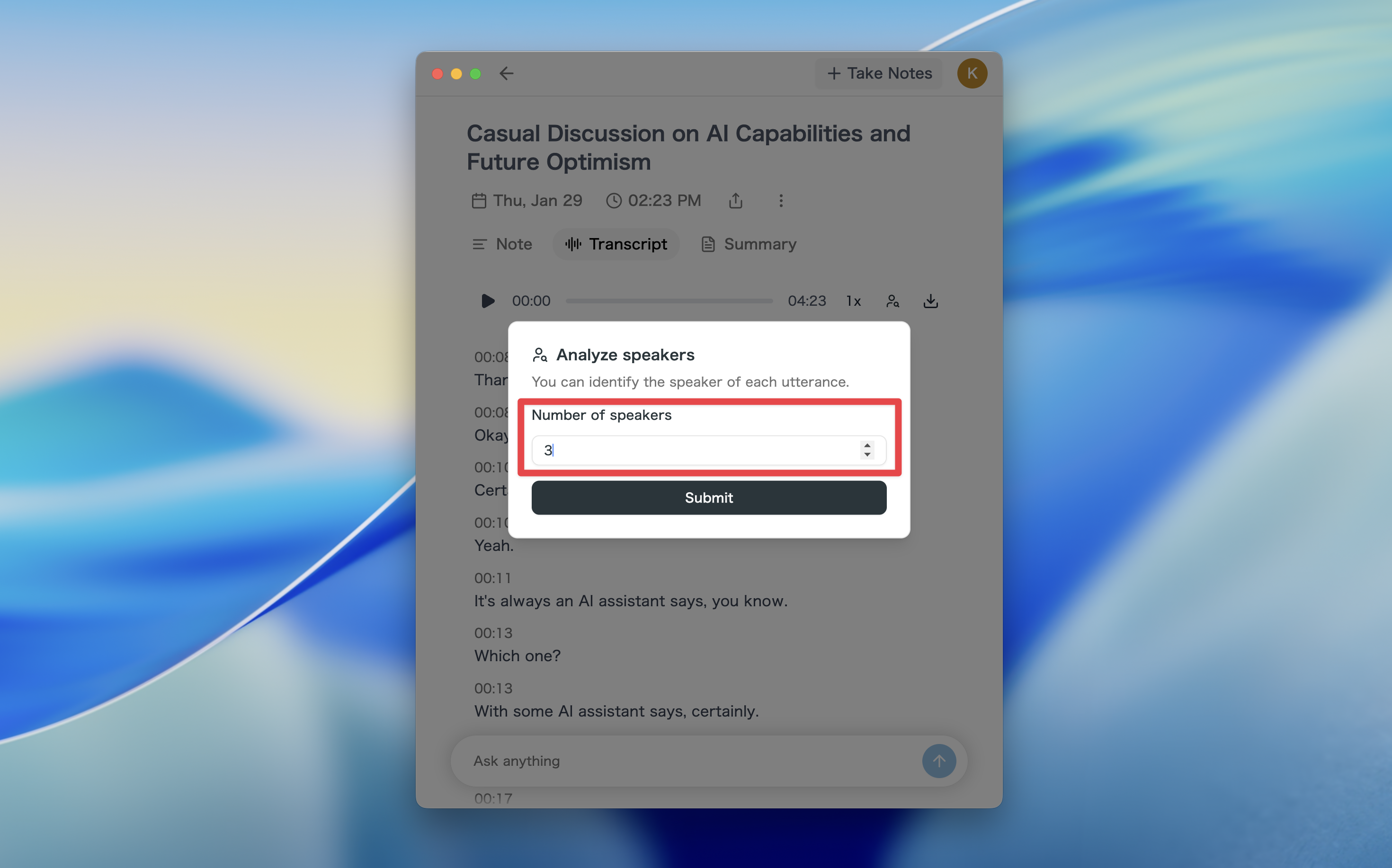
- Once processing completes, a speaker list will appear
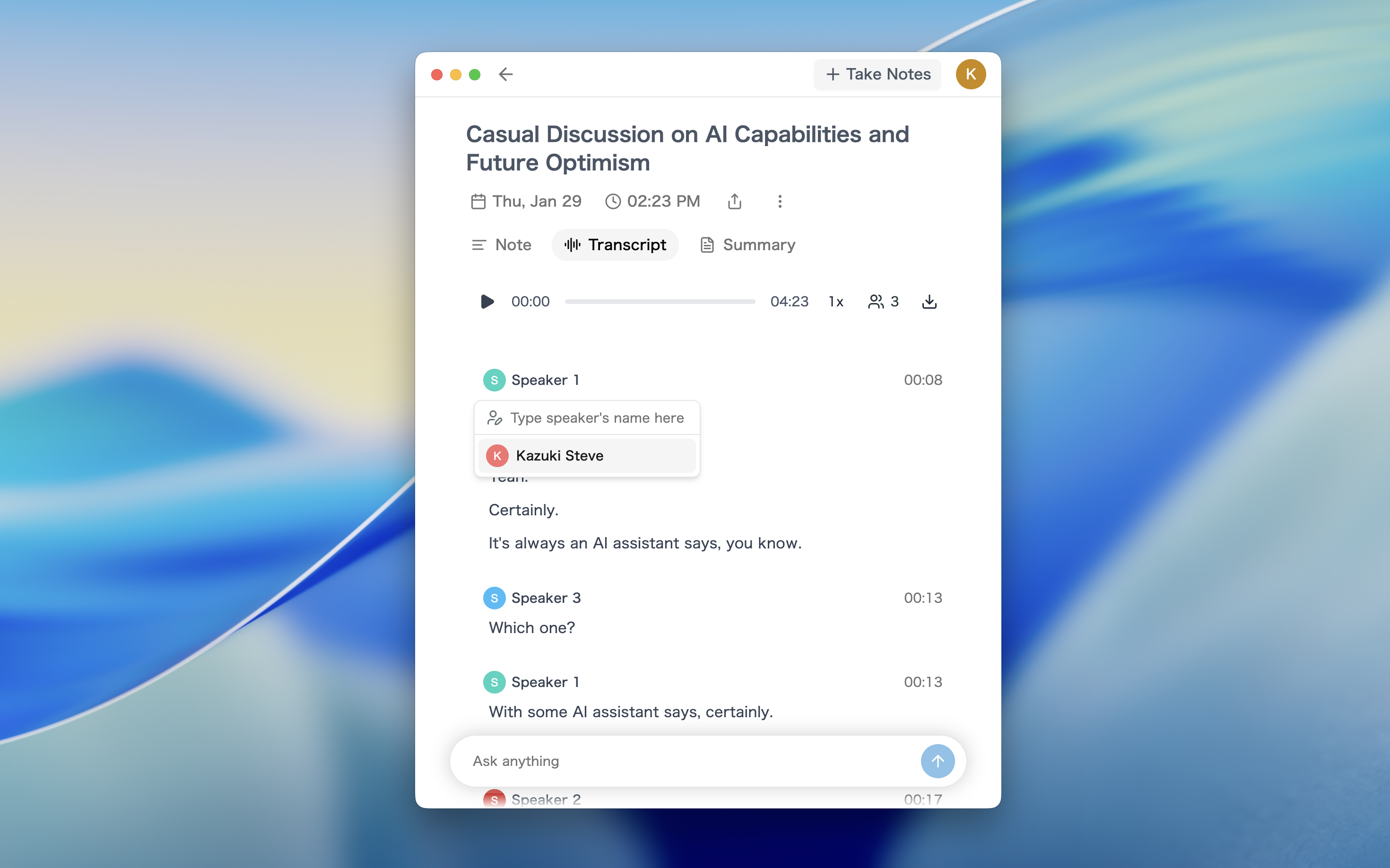
- Click each speaker to label them with participant names
⚠️ Processing may take a few minutes.
How to Update
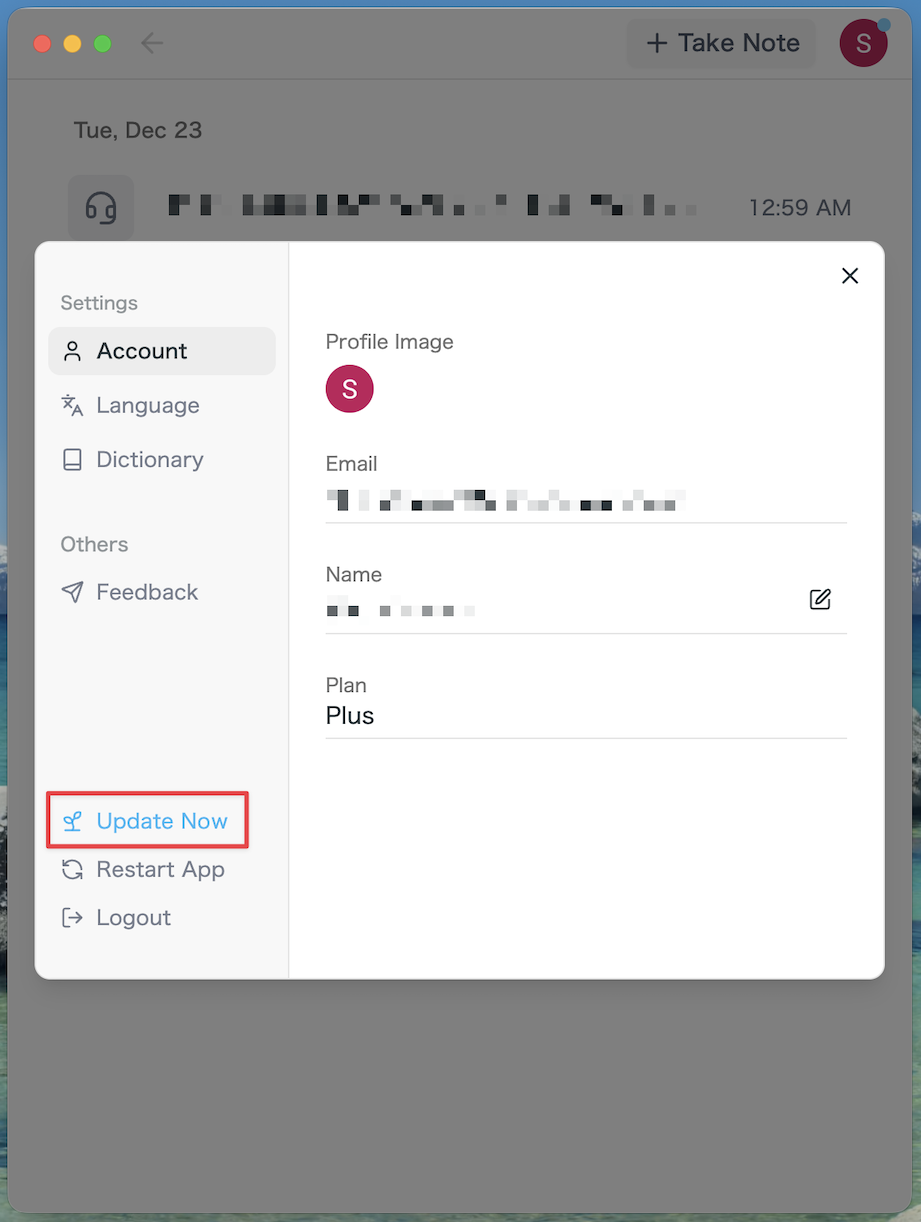
- Click your profile icon in the app header to open the Settings menu
- If an update is available, you'll see an Update button—click it to upgrade
If you see "Downloading...", please wait a moment for it to complete.
We're continually working to make SuperIntern the best meeting companion for your workflow. Try out speaker diarization and let us know what you think!
For Mac users: Try SuperIntern for free here! For Windows users: Join the Waitlist here