
Wordly vs. SuperIntern: Which AI Translation Tool is Right for Your Business?
When it comes to breaking down language barriers in business meetings, choosing the right AI translation tool can make all the difference. If you're exploring Wordly alternatives, you've likely come across SuperIntern—a newer entrant focused on everyday meeting intelligence rather than large-scale events.
Both tools use AI to deliver real-time translation, but they're designed for different scenarios. This comparison will help you understand where each excels, so you can make an informed decision for your team's specific needs.
⚠️ This article is an independent comparison by NanoHuman Inc. based on publicly available information as of January 2026. SuperIntern is our product, but we describe both tools as objectively as possible, including honest assessments of limitations.
Quick Summary: Wordly vs. SuperIntern
Before diving into details, here's the bottom line:
- Choose Wordly if you're running large-scale events, conferences, or webinars where hundreds or thousands of attendees need translation simultaneously
- Choose SuperIntern if you need everyday meeting translation across multiple platforms with Live Note—without bots joining your calls
Both are excellent tools. The question is which fits your use case better.
What Is Wordly?
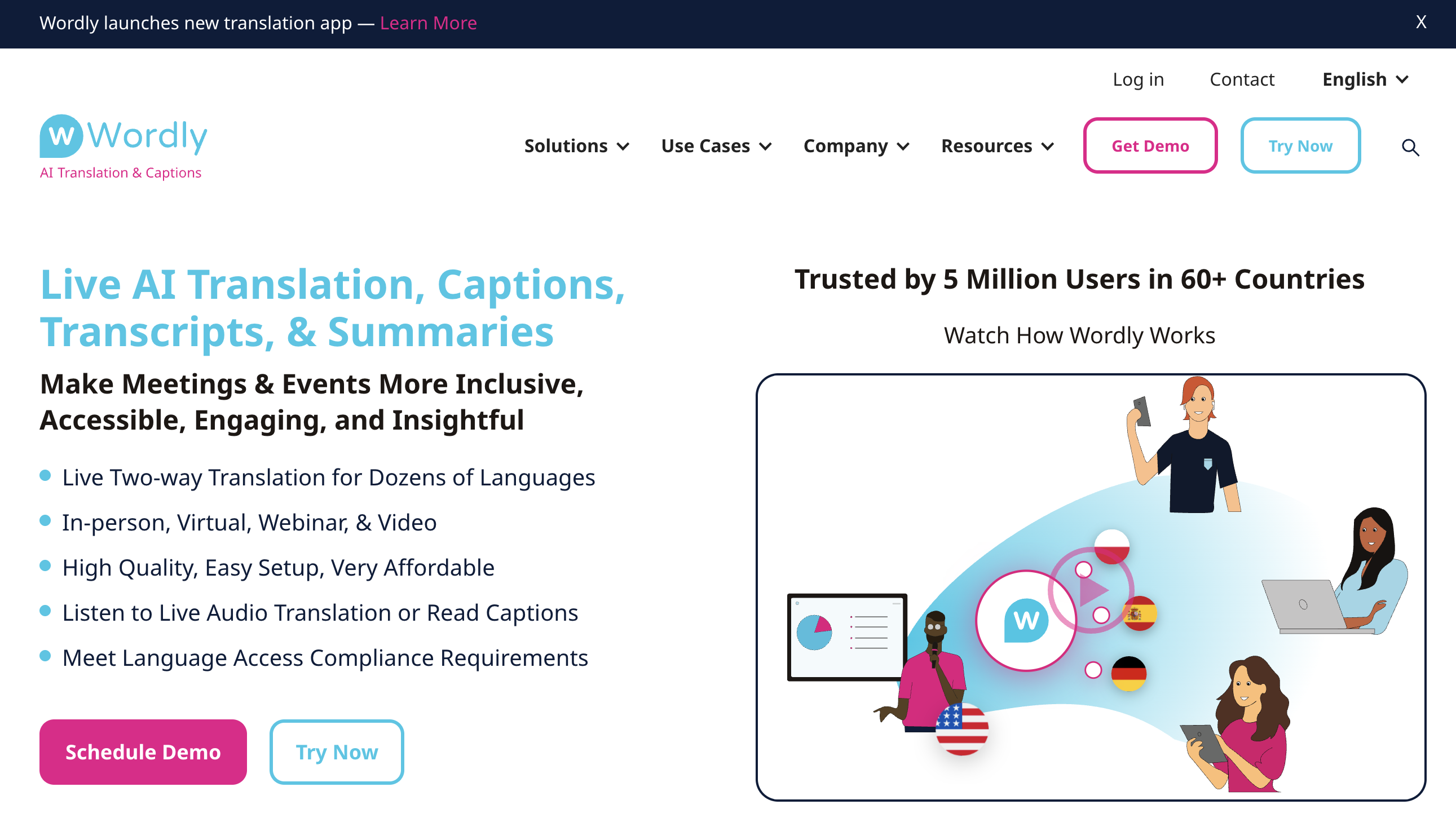
Wordly is an AI-powered interpretation platform designed primarily for events and large meetings. It provides live translation, captions, transcripts, and summaries in 60+ languages without requiring human interpreters.
Key strengths:
- Proven at scale—over 2,000 organizations and 4+ million users have used Wordly
- Works with major event platforms including Cvent, Zoom, and Microsoft Teams
- Attendees join via QR code or URL—no app download required
- Custom glossary feature for organization-specific terminology
- SOC 2 Type II compliant for enterprise security requirements
Wordly has built a strong reputation in the event industry, and customer reviews consistently praise its ease of use and accessibility features.
What Is SuperIntern?
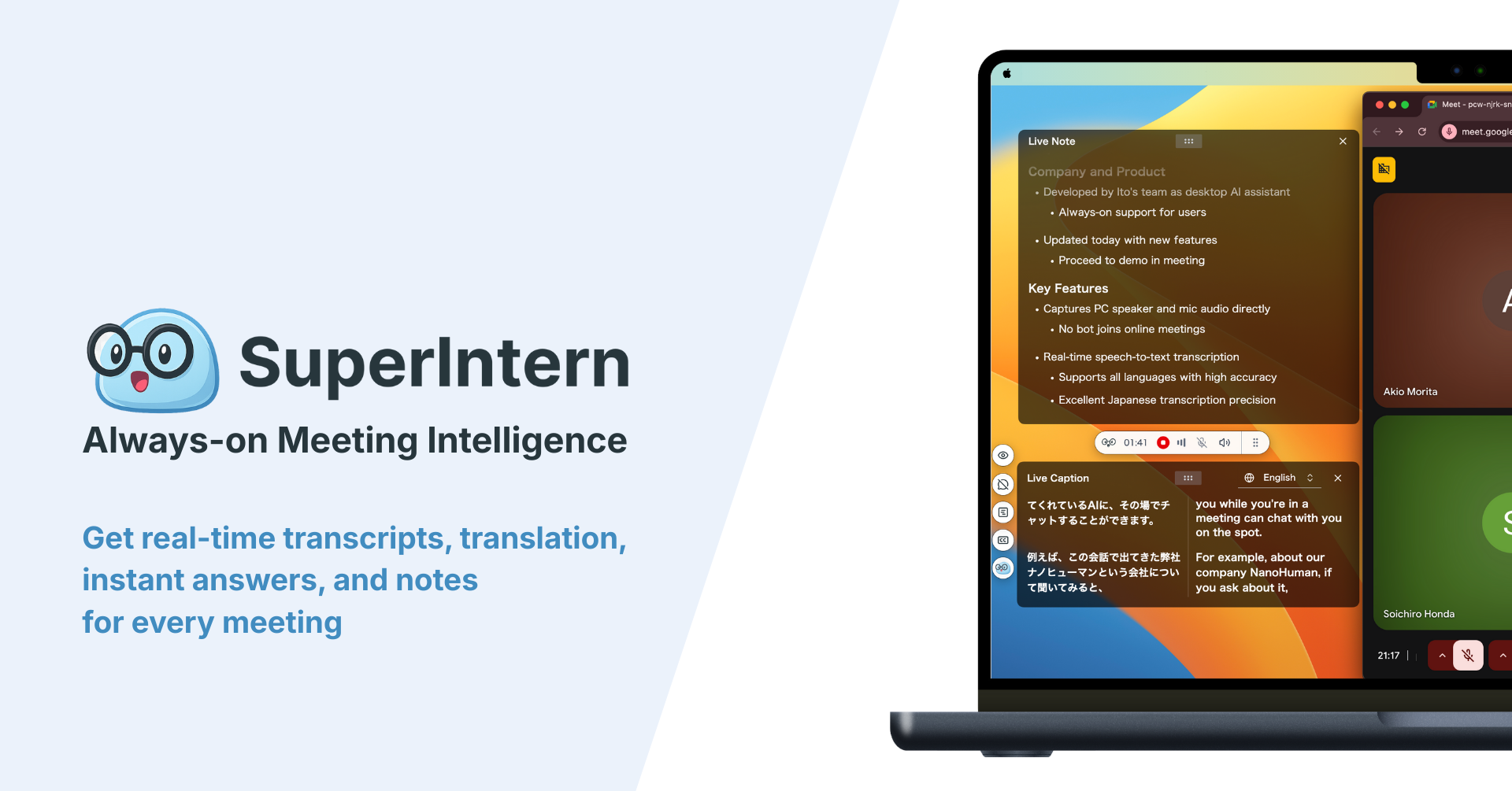
SuperIntern is a meeting intelligence platform that combines real-time translation with structured meeting notes. It's designed for daily use across any meeting platform—Zoom, Teams, Google Meet, or even in-person conversations.
Key strengths:
- Botless operation—captures audio directly from your device; no bot appears in participant lists
- Works across any meeting platform without switching tools
- Live Note that updates during the conversation, not just after
- 50+ language support with custom dictionary for proper nouns and technical terms
- Invisible Mode prevents the app from appearing during screen shares
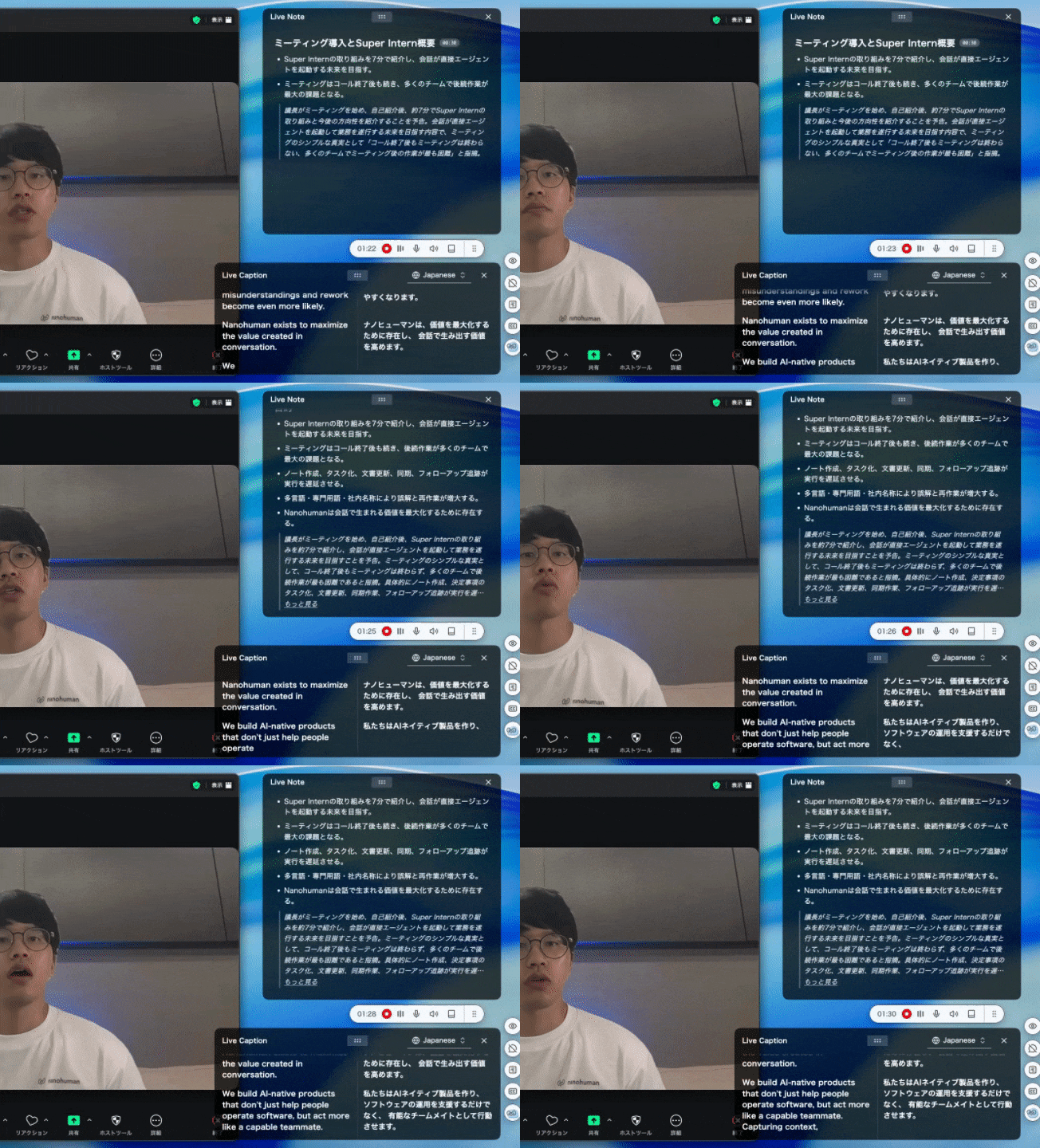
SuperIntern is built for professionals who attend multiple meetings daily across different platforms and need both translation and meeting intelligence.
Head-to-Head Feature Comparison
Translation Capabilities
| Feature | Wordly | SuperIntern |
|---|---|---|
| Supported languages | 60+ languages | 50+ languages |
| Real-time translation | ✓ | ✓ |
| Audio translation (voice output) | ✓ | — |
| Caption/subtitle translation | ✓ | ✓ |
| Custom terminology/glossary | ✓ (up to 3,000 phrases) | ✓ (custom dictionary) |
| Automatic language detection | ✓ | ✓ |
Both tools offer comprehensive translation capabilities. Wordly's voice output feature is valuable for attendees who prefer listening over reading captions. SuperIntern focuses on visual subtitles with the advantage of displaying both original language and translation simultaneously.
Platform Compatibility
| Feature | Wordly | SuperIntern |
|---|---|---|
| Zoom | ✓ (integration) | ✓ (system audio) |
| Microsoft Teams | ✓ (integration) | ✓ (system audio) |
| Google Meet | ✓ (via web) | ✓ (system audio) |
| Webex | ✓ (via web) | ✓ (system audio) |
| In-person meetings | ✓ (mobile app) | ✓ (microphone capture) |
| Any other platform | Limited | ✓ (works with any audio source) |
Wordly integrates directly with specific platforms, which can provide a polished experience but requires setup for each integration. SuperIntern takes a platform-agnostic approach—it captures audio at the system level, so it works consistently regardless of which meeting tool you're using.
Meeting Intelligence Features
| Feature | Wordly | SuperIntern |
|---|---|---|
| Transcription | ✓ | ✓ |
| Post-meeting summary | ✓ | ✓ |
| Live Note | — | ✓ |
| Action item extraction | Limited | ✓ |
| Post-meeting AI chat | — | ✓ |
| Searchable meeting archive | ✓ | ✓ |
This is where the tools diverge significantly. Wordly generates summaries and transcripts after sessions end—useful for documentation. SuperIntern's Live Note feature continuously organizes key points in real time during the meeting, helping you follow complex discussions as they happen. Additionally, SuperIntern allows you to chat with an AI that understands your meeting context after the call, enabling faster follow-up tasks like drafting emails, creating action items, or clarifying discussion points.
Privacy and Bot Presence
| Feature | Wordly | SuperIntern |
|---|---|---|
| Bot joins meeting | Varies by integration | Never |
| Visible to other participants | Can be visible | Never visible |
| Screen share safe | No | ✓ (Invisible Mode) |
| Works in sensitive meetings | Depends on setup | ✓ |
For internal team meetings, bot visibility may not matter. But for client calls, sales discussions, or sensitive 1-on-1s, many professionals prefer tools that don't announce their presence. SuperIntern's botless architecture means other participants never know you're using translation assistance. Furthermore, SuperIntern's Invisible Mode ensures the app doesn't appear when you share your screen—so you can present confidently without revealing your translation support.
Pricing Comparison
Wordly Pricing
Wordly uses a usage-based model with annual packages. Pricing varies based on hours, languages, and number of users—contact their sales team for specific quotes.
Volume discounts (10-30%+) and nonprofit/education discounts (10%) are available.
SuperIntern Pricing
SuperIntern offers simpler, more accessible pricing:
| Plan | Hours Included | Price |
|---|---|---|
| Free | Limited | $0 |
| Plus | 50 hours/month | $20/month |
| Overage | — | $0.02/minute |
Key difference: SuperIntern lets you start free without a credit card, making it easy to test before committing. Wordly's pricing structure is designed for events rather than everyday meeting use, so direct cost comparison depends heavily on your usage patterns.
Use Case Comparison: Which Tool Fits Your Needs?
Choose Wordly If...
You're running conferences or large events: Wordly shines when you need to serve hundreds or thousands of attendees simultaneously. The QR code/URL access model is perfect for events where attendees shouldn't need to install anything.
You need voice translation (audio dubbing): If your attendees prefer listening to translated audio rather than reading captions, Wordly's voice output capability is a significant advantage.
You're already using Cvent or similar event platforms: Wordly's pre-built integrations with major event management platforms can streamline your workflow.
You have a dedicated events budget: Wordly's pricing model—purchasing hours in bulk packages—makes sense when you're budgeting for specific events rather than everyday use.
Choose SuperIntern If...
You attend meetings across multiple platforms daily: If you're on Zoom for one meeting, Teams for the next, and Meet for a client call—SuperIntern provides consistent translation without switching tools or configurations.
You need real-time meeting intelligence, not just translation: SuperIntern's Live Note feature helps you follow complex discussions as they happen, not just review them afterward. This is particularly valuable for fast-paced technical discussions or negotiations.
You can't have bots in your meetings: For external sales calls, client meetings, or sensitive discussions, SuperIntern's invisible operation removes the awkwardness of explaining why "Wordly Bot" or "Notetaker" has joined the call.
You want to start without a significant upfront investment: SuperIntern's free tier lets you test the tool in real meetings before deciding to upgrade.
You frequently share your screen: SuperIntern's Invisible Mode ensures your translation assistance doesn't appear in screen shares or screenshots—important for demos, presentations, or recording sessions.
Real-World Scenarios
Scenario 1: Annual Company Conference
Situation: 500 employees across 8 countries, keynote speeches, breakout sessions, Q&A panels.
Better fit: Wordly
Why: Wordly is built for exactly this scenario. Attendees can access translation via QR code without installing anything, the platform scales to handle hundreds of simultaneous users, and the event management integrations simplify setup.
Scenario 2: Weekly Sales Calls with International Clients
Situation: 3-5 client meetings per week, mix of Zoom/Teams/Meet depending on client preference, need to take notes while participating.
Better fit: SuperIntern
Why: The botless operation is crucial for client relationships—you don't want to explain a bot joining your sales call. Working across any platform means no pre-meeting setup regardless of which tool the client uses. Live Note helps you engage in conversation while the tool captures key points.
Scenario 3: Global Engineering Standups
Situation: Daily 15-minute standups with team members in Tokyo, Berlin, and San Francisco.
Better fit: SuperIntern
Why: For short, frequent meetings, SuperIntern's always-ready approach beats setting up event-style translation each time. The custom dictionary handles technical terms and project names that generic translation often mangles.
Scenario 4: Investor Presentation Webinar
Situation: 200+ attendees for quarterly earnings call, professional presentation, recorded for compliance.
Could work with either, but Wordly has advantages
Why: The event-style setup, attendee access via URL, and integration with webinar platforms align well with Wordly's strengths. The higher cost per hour is justified for high-stakes investor communication.
Summary: Making Your Decision
Both Wordly and SuperIntern are capable AI translation tools, but they're optimized for different use cases.
Wordly excels at:
- Large-scale events and conferences
- Situations requiring voice translation output
- Organizations with dedicated event budgets
- Integration with event management platforms
SuperIntern excels at:
- Everyday meeting translation across any platform
- Botless operation for client-facing meetings
- Live Note during conversations
- Accessible pricing for individuals and small teams
If your primary need is event translation at scale, Wordly's established platform and event-focused features make it a strong choice. If you need a daily driver for multilingual meetings across platforms—especially with clients or in situations where bot presence would be awkward—SuperIntern offers a more flexible, accessible solution.
Ready to see how SuperIntern handles your multilingual meetings? Start free—no credit card required.